NextGen mParivahan App Guide: Virtual DL & Digital RC Services
⚠ Public Notice & Legal Disclaimer:
vehicleownerdetaill.com is an independent educational portal. This website is NOT affiliated with, associated with, authorized by, endorsed by, or in any way officially connected with the Ministry of Road Transport and Highways (MoRTH), National Informatics Centre (NIC), or any government agency. The official application is “NextGen mParivahan,” developed officially by NIC. To download the authentic app, citizens should use the official Google Play Store or Apple App Store, or visit parivahan.gov.in.
Understanding the mParivahan App: Digital RC, Virtual DL & Official Services Guide
In line with Digital India initiatives, the Ministry of Road Transport and Highways (MoRTH) developed the mParivahan (and its upgraded version, NextGen mParivahan) mobile application. This app provides citizens with seamless access to transport-related services directly on their smartphones.
This comprehensive educational guide explains the legitimate capabilities of the official mParivahan application, how virtual driving licenses and registration certificates work legally under transport rules, and how citizens can utilize the app safely.
What is the NextGen mParivahan application?
Developed by the National Informatics Centre (NIC), NextGen mParivahan is an official transport mobile application designed to digitize motor vehicle documentation across India. It serves as a central interface connecting citizens with national transport databases (Vahan and Sarathi).
Primary Features of the Official App:
- Virtual Driving License (Virtual DL): Generating an encrypted digital version of your driver’s license on your mobile device.
- Virtual Registration Certificate (Virtual RC): Storing a legally valid electronic registration certificate for verified vehicles.
- Challan Verification: Checking unpaid traffic challans and searching transaction status.
- Emergency Services: Accessing emergency location sharing and transport helpline details.
- Transfer & Shared Documents: Sharing virtual vehicle RCs securely with family members.
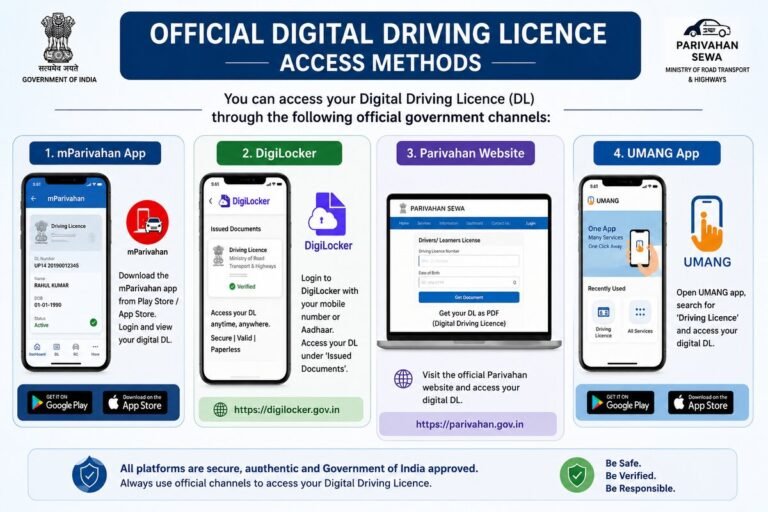
How to Safely Access Official Services via NextGen mParivahan
To avoid fraudulent third-party APKs or malicious websites, vehicle owners should follow the authorized procedure to download and use the platform:
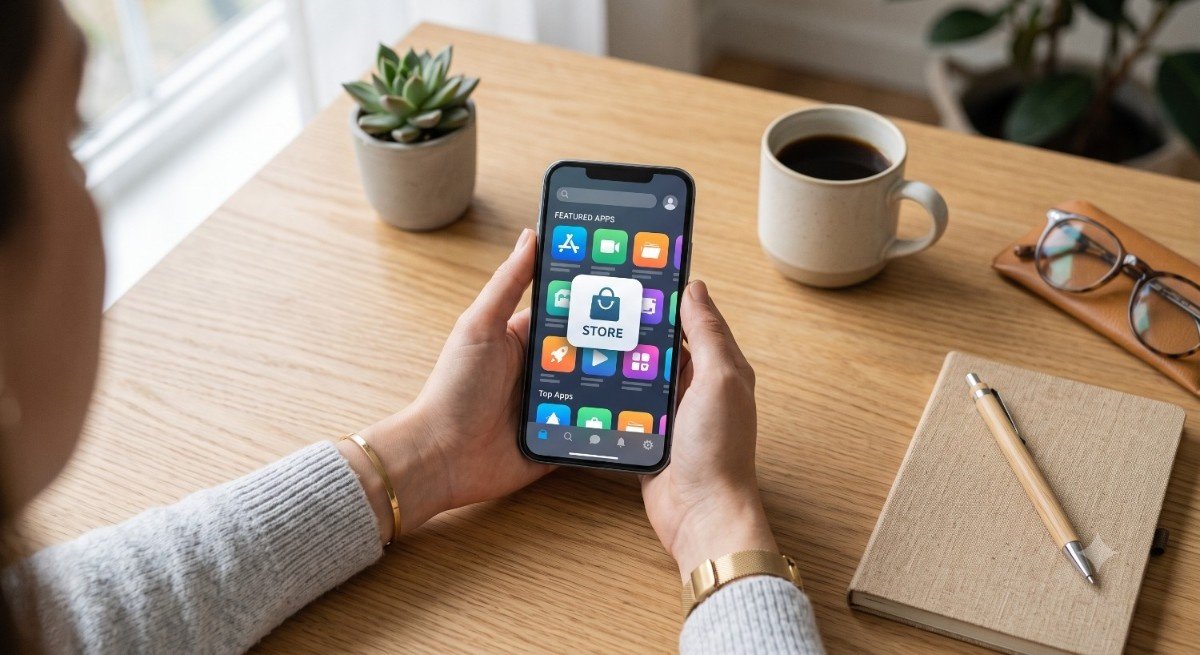
- Open the official Google Play Store (Android) or Apple App Store (iOS) on your mobile device.
- Search for “NextGen mParivahan” and verify that the publisher name is listed as National Informatics Centre (NIC).
- Download and install the official app directly to your smartphone.
- Register using your active mobile number and complete the secure OTP authentication process.
- To create a Virtual RC or Virtual DL, enter your exact document numbers along with the required verification details (such as the last 4 digits of your chassis/engine number).
🛡️ Cybersecurity & Privacy Protection Notice:
Never download “files or third-party software from unverified private blogs. Official mobile apps will only be hosted on official app stores or linked directly via parivahan.gov.in. Private websites cannot process transactions or generate official virtual cards.
Frequently Asked Questions (FAQs)
1. Is a virtual RC on mParivahan legally valid during traffic police verification?
Yes. As per notifications issued under Rule 139 of the Central Motor Vehicles Rules (CMVR), digital documents generated through official government platforms like mParivahan or DigiLocker hold equal legal standing to physical certificates.
2. Can I download APK files or install mParivahan directly from this website?
No. Private informational portals do not host application files or official databases. Always download the app through the Google Play Store or Apple App Store.
3. What should I do if my vehicle details do not appear in the app?
Ensure that your mobile number is updated in the RTO database (Vahan registry). If discrepancies persist, you may need to submit a data correction request at your local RTO.
Editorial Note: This guide is published exclusively for public education and digital safety awareness. For official queries, app downloads, and official assistance, please visit parivahan.gov.in.